Ford Apple CarPlay
Discover which Ford models come equipped with Apple CarPlay and learn how to set it up in your vehicle.
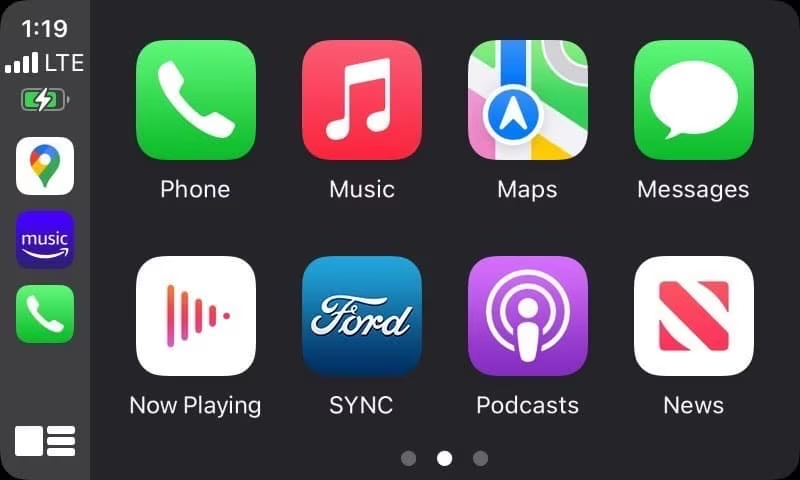
What is Apple CarPlay?
Wondering what Apple CarPlay is and why it's so popular? Apple CarPlay seamlessly integrates your iPhone with your Ford's built-in display, creating a familiar and intuitive interface to help you make calls, navigate, send and receive messages, and enjoy music and podcasts-all while keeping your focus on the road. Ford also offers wireless Apple CarPlay in select models, allowing a cord-free connection for added convenience every time you drive.
Wireless Apple CarPlay in Ford Models
Ford continues to expand its support for both wired and wireless Apple CarPlay, providing drivers with enhanced connectivity options. With wireless Apple CarPlay, you can connect without a cable, enjoying automatic pairing and fast access to Apple CarPlay features each time you enter the vehicle. Below, find a list of Ford models that support Apple CarPlay, including wireless compatibility on certain newer models.
Compatible Models
These Ford Models come equipped with Apple CarPlay, with some newer models supporting wireless Apple CarPlay for added flexibility. For questions about compatibility or setup assistance contact your local AutoNation USA location. Our team members are here to assist you in finding your perfect Ford vehicle with Apple CarPlay.
- 2017-2019 Ford C-MAX- View C-MAX Inventory
- 2017-2019 Ford Fiesta- View Fiesta Inventory
- 2017-2019 Ford Flex- View Flex Inventory
- 2017-2019 Ford Focus- View Focus Inventory
- 2017-2019 Ford Taurus- View Taurus Inventory
- 2017-2020 Ford Fusion- View Fusion Inventory
- 2017-Present Ford Edge- View Edge Inventory
- 2017-Present Ford Escape- View Escape Inventory
- 2017-Present Ford Expedition- View Expedition Inventory
- 2017-Present Ford F-150- View F-150 Inventory
- 2017-Present Ford Transit- View Transit Inventory
- 2017-Present Ford Transit Connect- View Transit Connect Inventory
- 2017-Present Ford Mustang- View Mustang Inventory
- 2017-Present Ford Super Duty- View Super Duty Inventory
- 2017-Present Ford Explorer- View Explorer Inventory
- 2018-Present Ford EcoSport- View EcoSport Inventory
- 2021-Present Ford Mustang Mach-E (supports wireless Apple CarPlay)- View Mustang Mach-E Inventory
- 2021-Present Ford Bronco (supports wireless Apple CarPlay)- View Bronco Inventory
- 2021-Present Ford Bronco Sport- View Bronco Sport Inventory
- 2022-Present Ford Maverick- View Maverick Inventory
Troubleshooting: Apple CarPlay Not Working?
If you're experiencing issues with Apple CarPlay not working, a few simple troubleshooting steps can help resolve the problem. Try these fixes:
- Ensure iOS and SYNC Are Updated: Verify that your iPhone and Ford SYNC system software are up-to-date.
- Reconnect via USB or Bluetooth: Disconnect your iPhone from the USB port or Bluetooth connection and try reconnecting.
- Check Siri and CarPlay Settings: Ensure Siri and CarPlay are both enabled on your iPhone.
- Restart Your iPhone and Ford SYNC: Sometimes, a quick restart can resolve connectivity issues.
For ongoing issues with Apple CarPlay or assistance with pairing your iPhone, contact your local AutoNation USA dealership. They'll be happy to help with troubleshooting and answer any questions you have about Apply CarPlay not working or wireless Apple CarPlay options.
Explore how Ford Apple CarPlay can transform your drive by making your iPhone's essential features accessible and easy to use on the road.