Honda Apple CarPlay
Looking for Hondas with Apple CarPlay? Discover which Honda models come with Apple CarPlay and learn how to set it up in your vehicle. Many Honda models now offer Honda Apple CarPlay, allowing seamless integration of your iPhone with your vehicle's display. Apple CarPlay provides a familiar interface that makes it easy to make calls, get directions, send and receive messages, listen to music, and more-all while keeping your focus on the road.
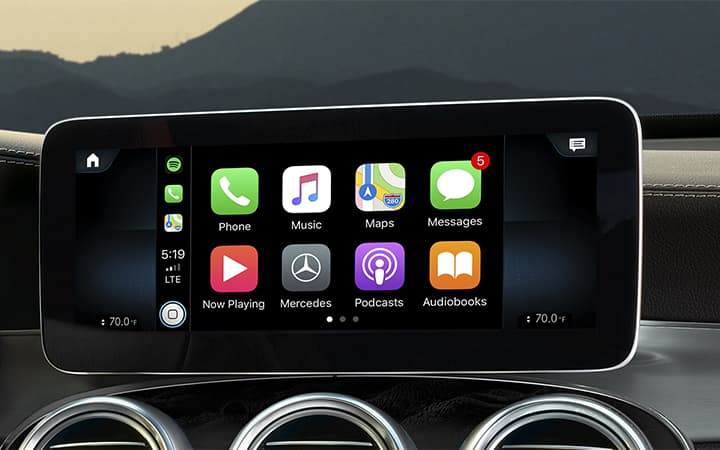
What is Apple CarPlay?
Apple CarPlay connects your iPhone to your Honda's infotainment system, allowing you to safely use essential apps through a touchscreen interface. With Honda Apple CarPlay, you can control apps hands-free with Siri, making it a convenient way to stay connected while driving. Plus, with select models, wireless Apple CarPlay removes the need for a USB cable, adding even more convenience.
Honda Models with Apple CarPlay
Here's a list of used Hondas with Apple CarPlay and the model years Apple CarPlay became available:
- Honda Accord: 2016-present
- Honda Civic: 2016-present
- Honda CR-V: 2017-present
- Honda Pilot: 2017-present
- Honda Ridgeline: 2017-present
- Honda Fit: 2018-present
- Honda Odyssey: 2018-present
- Honda Clarity: 2019-present
- Honda HR-V: 2019-present
- Honda Insight: 2019-present
- Honda Passport: 2019-present
- Honda Prologue: 2024-present
If you're interested in any of these models, contact your local AutoNation USA dealership to explore inventory and find a Honda with Apple CarPlay that meets your needs.
How to Set Up Honda Apple CarPlay
Wired Apple CarPlay Setup (7" Color Touchscreen Models)
- While in PARK, set the vehicle power to ON or ACCESSORY.
- Plug your iPhone into the USB port with the 3-pronged icon using a genuine Apple cable.
- Touch "Yes" on the touchscreen and press "Connect" to launch Apple CarPlay.
Wireless Apple CarPlay Setup (12.3" Color Touchscreen Models)
- While in PARK, set the vehicle power to ON or ACCESSORY.
- Pair your iPhone to your vehicle via Bluetooth.
- On the touchscreen, go to Home > General Settings > Connections > Manage Device Connections.
- Select the Apple CarPlay icon next to your device to enable wireless Apple CarPlay.
- Accept the connection on your iPhone and press the Apple CarPlay icon on the touchscreen to begin.
Explore Honda Vehicles with Apple CarPlay at AutoNation USA
Browse our selection of used Hondas with Apple CarPlay at AutoNation USA, and find the ideal model with wireless Apple CarPlay to enhance your driving experience. Whether you need an efficient commuter or a spacious family SUV, AutoNation USA dealerships have a variety of Honda cars with Apple CarPlay to fit every lifestyle.
Shop Honda Cars with Apple CarPlay